IPv4/IPv6 network scanner
Discover hosts using ICMP, TCP connections, ARP/NDP caches and Bonjour/mDNS. Inspect names, MAC addresses and IEEE vendors when supported by the observations.
 NEDRI
NEDRI for network engineers on Mac
Network diagnostic tools for engineers using macOS. Discover IPv4/IPv6 devices and troubleshoot connections with ping, TCP, DNS and SNMP/MIB in one native Mac app.
NEDRI stands for Network Exploration, Diagnostics, Reference & Inspection.
2026-10-27 · Stable : 1.0.2 (Build 122) · Beta : 1.2.0 beta 1 (Build 139)
See the roadmapDiscover hosts using ICMP, TCP connections, ARP/NDP caches and Bonjour/mDNS. Inspect names, MAC addresses and IEEE vendors when supported by the observations.
Test common ports, a list or a range against an IP address or DNS name. Distinguish successful connections, refusals, timeouts and errors over IPv4 and IPv6.
Measure latency, loss, minimum, maximum, median and percentiles. Use finite or continuous tests, adjustable ICMP payloads, time charts and annotated incident markers.
Trace successive IPv4 or IPv6 hops with ICMP Echo, timings and optional host names; save the path locally.
Query common records and IPv4/IPv6 PTR records, choose the server and UDP/TCP, then inspect TTLs, sections and raw responses. AXFR reads a zone only when its server permits it.
Look up IP addresses, domains or AS numbers using RDAP with WHOIS fallback and source responses. New lookups need Internet; archived results remain locally available.
Calculate CIDR and masks, network and IPv4 broadcast, reverse DNS names, binary/hex views, membership and overlap. Split and aggregate ranges exactly; multi-requirement VLSM plans remain future work.
Inspect banners and advertised capabilities without an account: SSH, HTTP, SMTP, FTP, IMAP, POP3, LDAP, SMB, Redis, MySQL/MariaDB, VNC and Telnet. PostgreSQL offers a one-off SSLRequest check; versions and services are not inferred from a port alone.
Test GET or HEAD, HTTP status codes, headers, redirects and bounded content. Inspect DNS/TCP/TLS/first-byte timings when macOS provides them without executing the page as a browser.
Inspect the received chain, names, expiry dates, fingerprints and macOS trust validation. Direct TLS and SMTP/IMAP/POP3/FTP STARTTLS are available; STARTTLS requires macOS 12.3+. This is not a full cipher-suite or revocation audit.
Monitor IPv4 or IPv6 hops with repeated ICMP traces, per-hop loss and latency statistics, without authentication.
Probe UDP ports with DNS/NTP requests or empty datagrams; distinguish replies, OS refusals and indeterminate silence.
Browse bundled MIB definitions, read exact instances or selected branches over SNMP v1/v2c/v3 UDP, and save results locally.
Compare multiple SNMP measurements on graphs with shared or separate scales, statistics and local archives.
Inspect the Mac’s neighbour caches or a remote device’s IP-MIB/MIB-II tables. Relate IP and MAC addresses with interface, state, time and observation source.
Read administrative/operational states, speed, aliases, errors, discards and SNMP counters. Calculate rates from usable Counter32/Counter64 values without modifying ports.
Read eight standard objects: description, sysObjectID, uptime, contact, name, location, declared services and interface count. This inventory covers one device without automatic model or firmware identification.
Find one MAC or read the accessible forwarding tables, with ports, VLAN mappings and raw evidence.
Read LLDP and CDP neighbours over SNMP, with ports, advertised addresses and raw evidence.
Open independent interactive sessions from a target or result. SSH uses the macOS client; Telnet supports legacy equipment. History stores connection events, not commands or session transcripts.
Explicitly send a magic packet to a MAC address with destination settings. Wake-up depends on hardware, configuration and the network path.
Serve and receive files in a selected local folder over TFTP, with bounded transfers and history.
Search project-supplied modules, filter by vendor and inspect definitions/OIDs before a targeted query. Multiple MIBs can be combined; SMI resolution remains partial and user imports are not supported.
Search a MAC address, prefix or organisation in the local corpus. Prefix attribution identifies a registered organisation, not necessarily the device model.
Browse the 9,847 RFCs collected on 13 October 2026, including original texts and PDFs, with search, categories, status and supersession links. PDFs without a text layer remain readable without content search.
Browse IANA registries and curated application entries with search, filters and local RFC references. A common port suggests a service; it does not confirm its identity.
Look up IPv4/IPv6 ranges, private, shared, local, multicast and reserved uses, historical IPv4 classes and RFC links. These references do not prove an address’s actual routing.
Browse routing principles and entries for RIP/RIPng, OSPF, IS-IS, BGP, EIGRP and related mechanisms. This is a reference library without router configuration.
Browse Ethernet, VLAN, STP, LACP, LLDP/CDP, QoS, ARP/NDP, 802.1X and related entries with cross-links. LLDP/VLAN documentation is not active topology discovery.
Keep non-sensitive settings, observations, errors and partial results until manual deletion. Search, copy and reopen analyses without new requests; rerunning creates new measurements.
Generate a local summary by IP, MAC or DNS name from history, then export PDF or CSV. Details include an explicit sample of 25 observations per analysis; complete measurements remain in history.
These features are included in the beta. Validation is still in progress for some tools and hardware.
Send bounded TCP SYN, TCP ACK or IP protocol probes and inspect correlated evidence.
IPv4/IPv6. Discover DHCP servers on this local interface. No lease is requested or applied to this Mac.
Inspect local Mac interfaces, IP/MAC addresses, TCP/UDP connections, IPv4/IPv6 routes and counters.
ICMPv4/v6. Choose a valid network interface, or use the system route.
SNMPv1/v2c. Receive SNMP traps and informs locally, with bindings and history.
Capture local traffic or inspect a PCAP/PCAPNG trace with packet fields and raw bytes.
Measure TCP or UDP throughput against an iPerf3 server, with local intervals and receiver results. Choose a public server…
RFC3164/RFC5424 · UDP/TCP. Receive and inspect device log messages locally.
NetFlow v5/v9 · IPFIX · UDP. Receive NetFlow and IPFIX exports with templates and flow details.
RSSI · SNR · Inspect the Wi-Fi information available from macOS.
Use Conversations after stopping the capture to reassemble IP/TCP. TLS content remains encrypted.
DNS · DHCPv4/v6 · HTTP/1 · TLS. Application analysis uses captured messages only. An absent response is not a confirmed timeout. HTTP/2, QUIC and encrypted application data are not decoded.
Graph captured throughput and packets per second, with time filtering for protocols, endpoints and conversations.
Report a bug, request a feature or suggest an improvement from the app after reviewing your message. No diagnostics or files are attached automatically.
macOS 12 minimum, SwiftUI/AppKit interface, local tools and bundled corpora. Intel Macs and an iOS app are not currently supported.
Use standalone tools in tabs or detached windows, with independent analyses, stopping, background operation and reopening.
Interface available in eleven languages, including right-to-left Hebrew and Arabic.
Follow macOS appearance or choose a persistent theme; panels and inspectors can be resized according to the tool.
Sort, filter and copy results; inspect OIDs, bytes and source responses. The Points to examine filter and latency thresholds help locate relevant observations.
Tools offer both families and automatic selection according to their capabilities. HTTP/HTTPS follows macOS resolution; IPv6 discovery uses known or explicit candidates rather than exhaustive scanning.
Measurements and references stay on the Mac. New remote queries follow the selected target; SNMP communities and terminal input are not stored in archives.
Offline help, PDF manuals and version history are provided with the local stable release. Bundled documentation is not regenerated for every beta.
Change a writable SNMP value after explicit confirmation, then check the value read back. No automatic resend.
Seven-day trial and online activation of a perpetual licence from the application.
The application in pictures
Actual screenshots of NEDRI 1.0.1 beta 12 (build 88), French interface. Click an image to open it at full size.
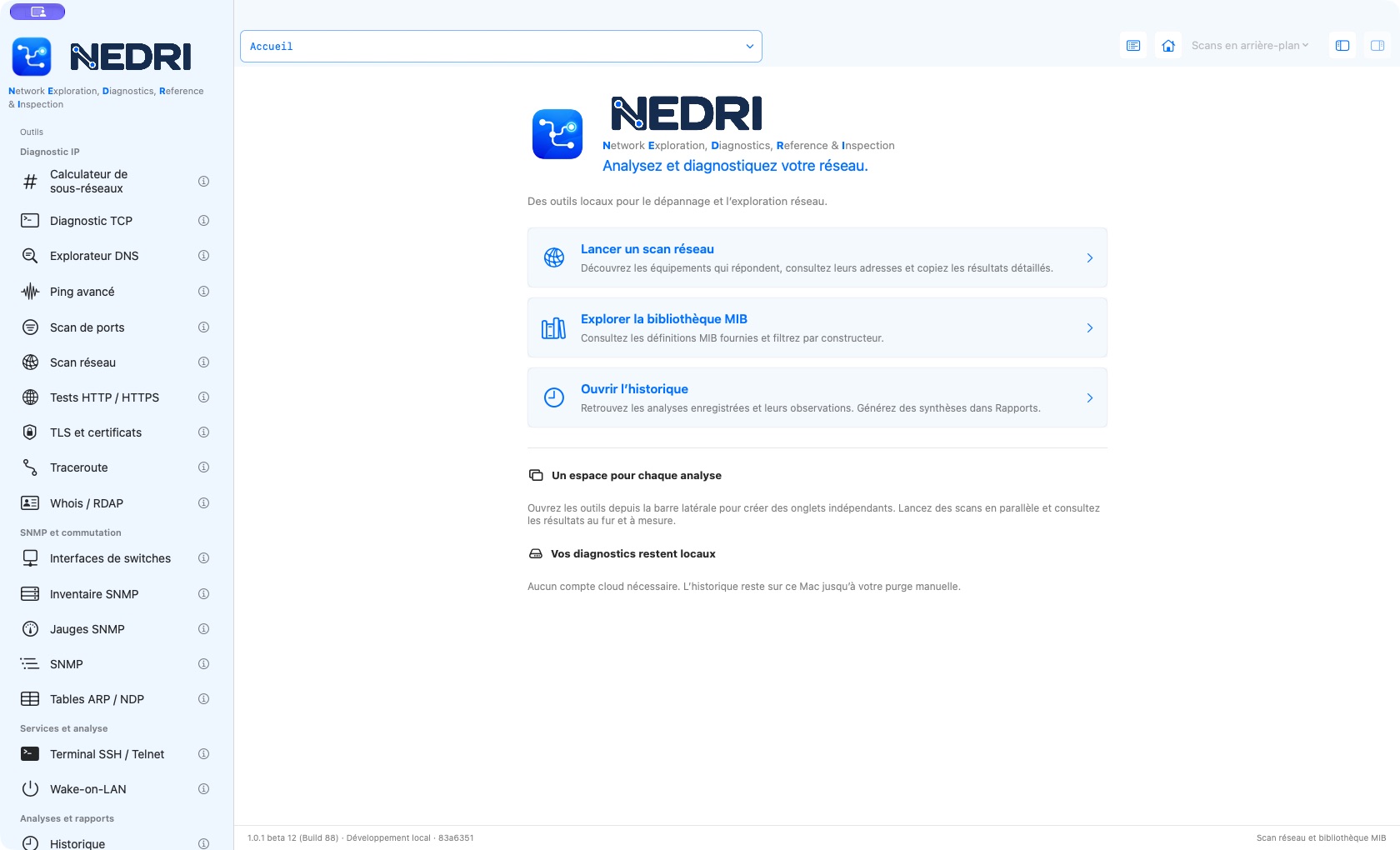
Tools grouped in one native macOS window.
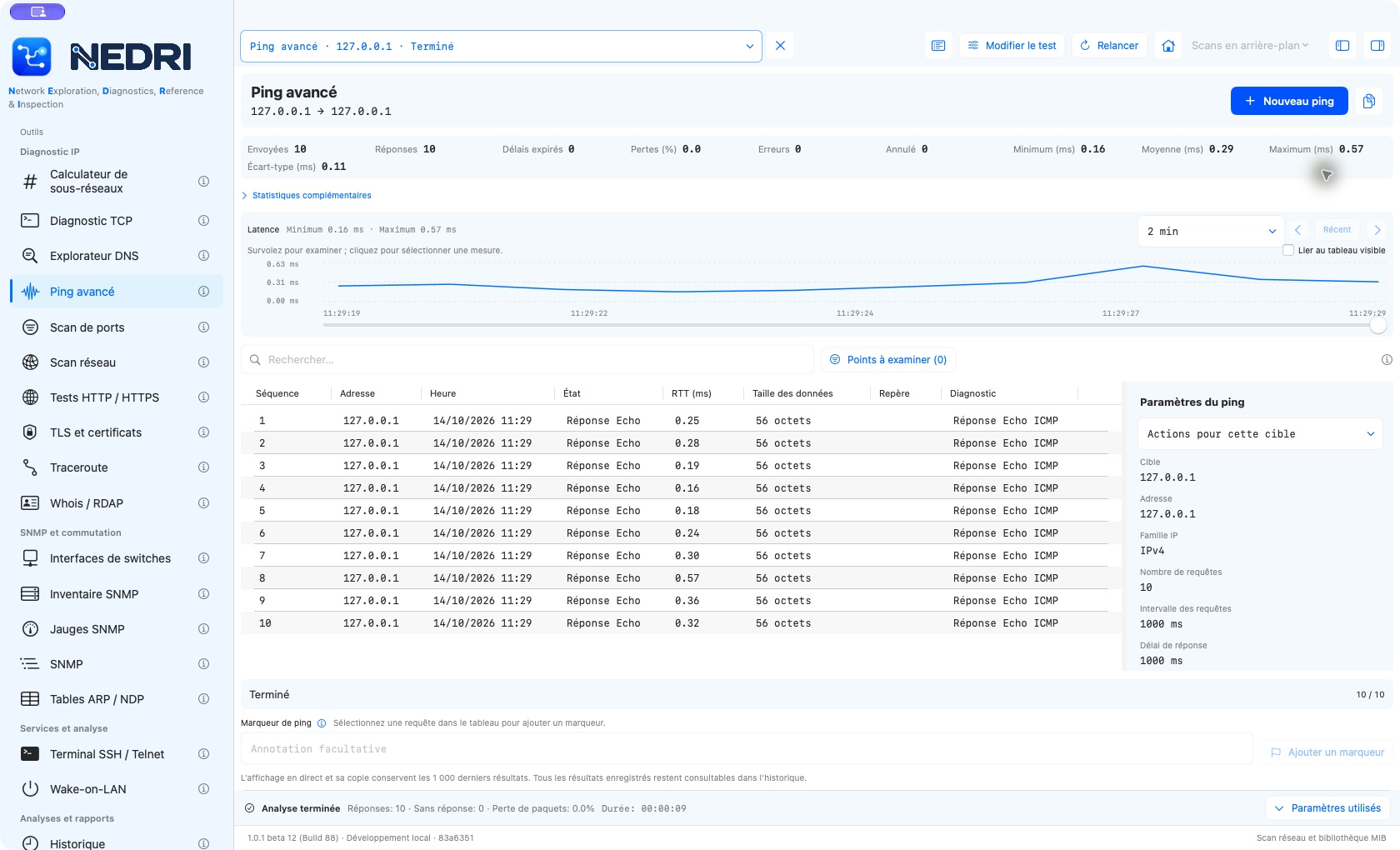
A real measurement of ten replies from 127.0.0.1, the Mac’s loopback address.
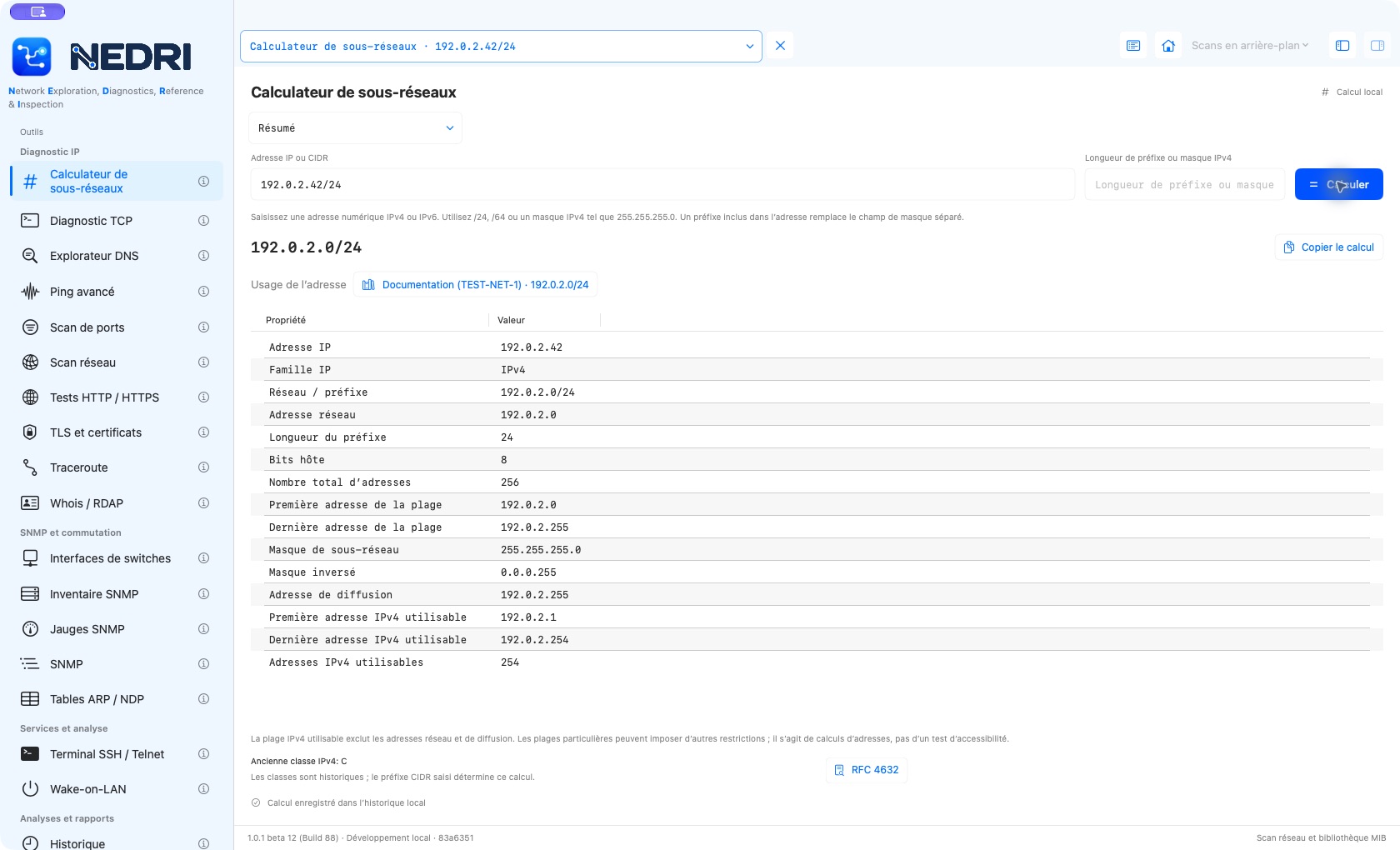
Local calculation for 192.0.2.42/24, a documentation address.
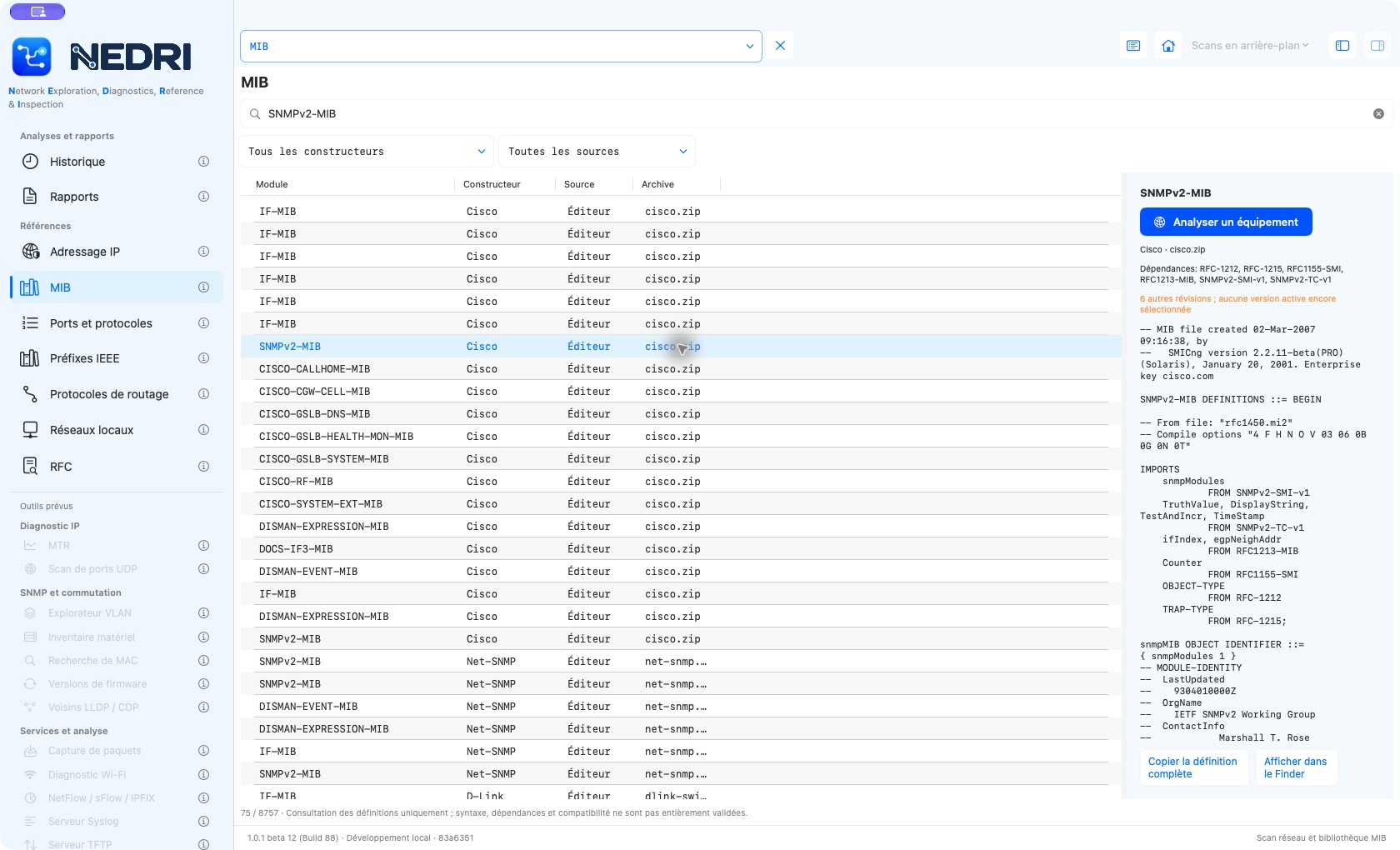
SNMPv2-MIB search and definition review without querying a device.
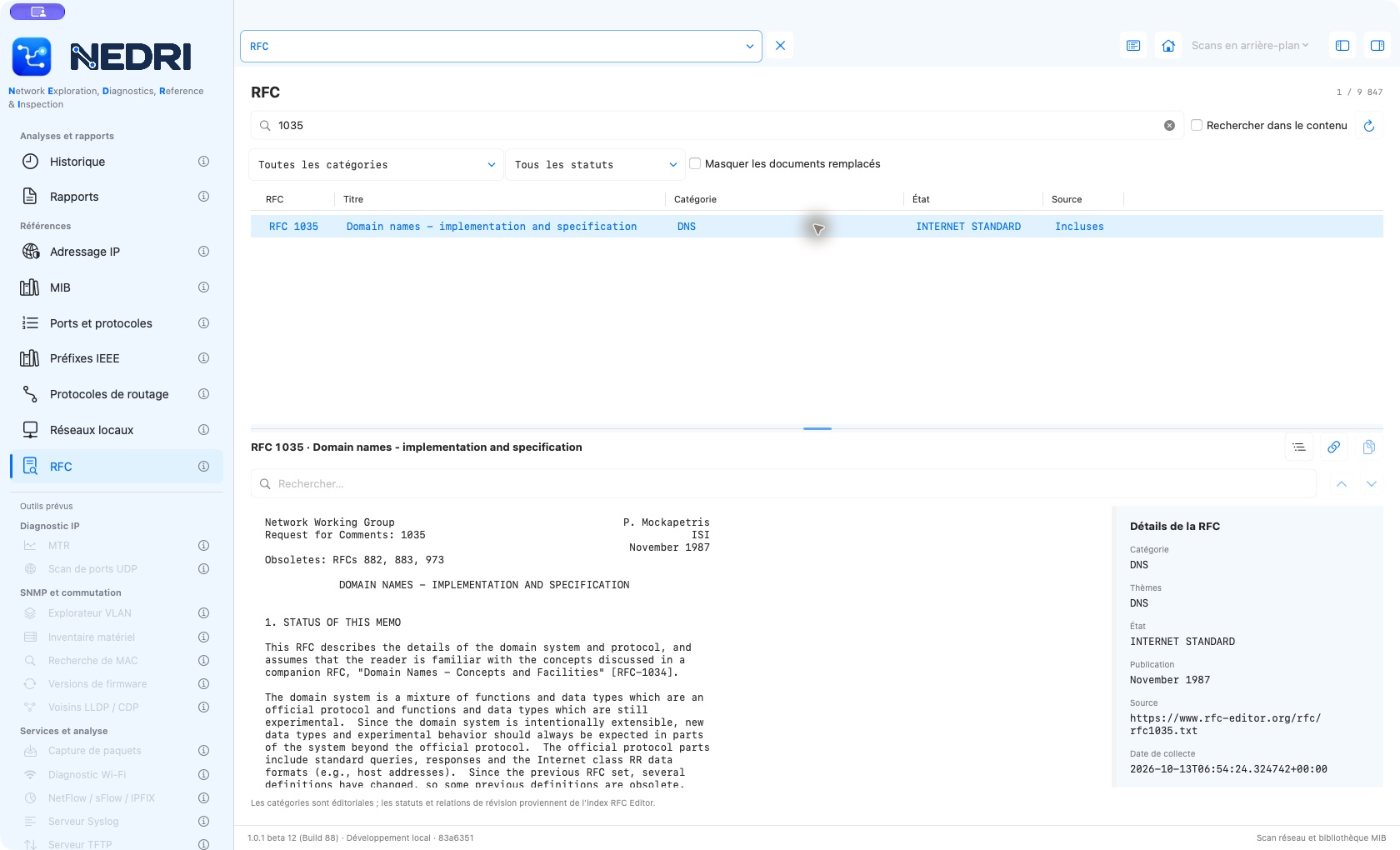
Reading DNS RFC 1035 in the bundled corpus.